
 See Our Latest Article on HelloNation
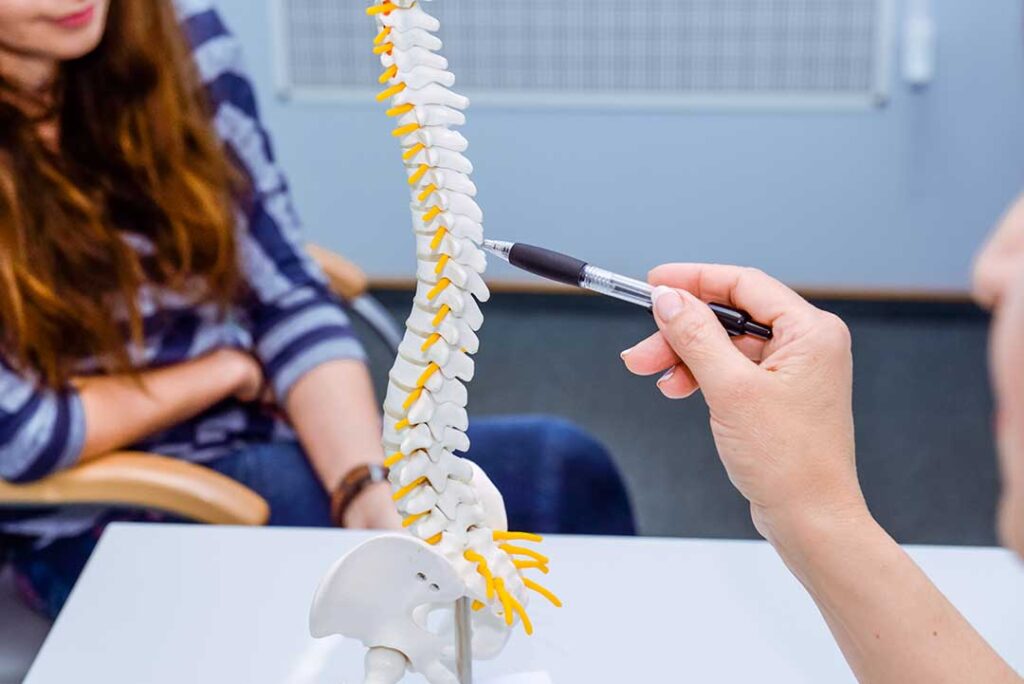
Working from home can make it easier to stay comfortable, but it can also encourage long periods of sitting in makeshift workstations. For residents of Lloyd, NY, improving posture usually does not require expensive equipment. The biggest gains often come from adjusting screen height, supporting the feet, changing positions regularly, and making the home workspace fit the body rather than forcing the body to adapt to the furniture.
What does good posture look like during computer work?
Good posture is not a rigid pose that must be held all day. It is a balanced position that allows the head, shoulders, spine, hips, and legs to share the work without excessive strain.
A generally supportive seated position includes:
- Head level, with the ears roughly aligned over the shoulders
- Chin slightly tucked rather than pushed forward
- Shoulders relaxed instead of rounded or lifted
- Elbows near the sides and bent at approximately a right angle
- Lower back supported by the chair or a small cushion
- Hips level with, or slightly higher than, the knees
- Feet resting flat on the floor or on a stable footrest
The goal is comfort and freedom of movement. If a position feels stiff, painful, or difficult to maintain, it may not be suitable even if it appears technically correct.
How should a home desk and computer screen be arranged?
The monitor should usually be positioned directly in front of the user, about an arm’s length away. The top portion of the screen should be at or slightly below eye level, allowing the eyes to look forward or slightly downward without bending the neck.
A laptop placed flat on a table often creates a compromise: the screen is too low for the neck, while raising the laptop can make the keyboard too high for the wrists. If a laptop is used for several hours, a separate keyboard and pointing device can allow the screen to be raised while keeping the arms in a more comfortable position.
The desk should provide enough depth for the screen to remain at a reasonable distance. A monitor that is too close may encourage squinting and forward head posture. A screen that is too far away may cause leaning or straining to read.
Lighting also affects posture. Glare or dim conditions can lead to leaning toward the screen. During bright seasons, daylight from windows may create reflections, while winter’s shorter days can make overhead lighting feel inadequate. Adjusting blinds, curtains, and task lighting may reduce the urge to bend forward.
What if the chair is uncomfortable?
A chair does not need to be expensive to provide useful support, but it should allow the feet to reach a stable surface and should not force the pelvis to slide forward. If the seat is too high, the legs may dangle, placing pressure behind the knees. If it is too low, the hips may sit below the knees and the back may round.
A small rolled towel or cushion can provide temporary lower-back support. It should fill the natural space behind the lower back without pushing the torso too far forward. The backrest should support the body without preventing occasional movement.
Avoid sitting on the edge of the seat for long periods. This position often reduces back support and encourages the head and shoulders to drift forward. Sitting all the way back, with the hips supported, generally provides a more stable base.
How often should someone change position?
Even a well-arranged workstation can become uncomfortable if the body remains still for too long. A useful approach is to change position every 20 to 30 minutes, even briefly.
Movement can include:
- Standing while reading a short message
- Walking to refill water
- Rolling the shoulders gently
- Extending the legs
- Shifting from sitting to standing
- Looking away from the screen for a few moments
A timer or calendar reminder may help establish the habit, but movement does not need to follow a perfect schedule. The practical principle is to avoid waiting until the back, neck, or hips already feel stiff.
Working from home may blur the boundaries between work and household tasks. That can be helpful for movement if used intentionally. Walking to another room, putting away laundry, or taking a brief indoor movement break can interrupt long sitting periods. In warmer weather, a short walk outside may provide both physical movement and a visual break from the screen. During colder months, indoor movement still counts.
Does standing all day fix poor posture?

Standing is not automatically better than sitting. Remaining in one position for hours can create discomfort whether the body is seated or upright. A standing setup should allow the screen to remain near eye level, with the keyboard and pointing device close enough that the shoulders stay relaxed.
Alternate between sitting and standing rather than treating either position as a permanent solution. A soft, stable surface under the feet may reduce fatigue, but unstable or slippery surfaces can increase the risk of tripping.
Standing while leaning heavily on one leg may also create uneven loading through the hips and lower back. Shifting naturally is normal, but frequent discomfort on one side may indicate that the arrangement needs adjustment.
How can phone use affect work-from-home posture?
Phone habits can undo improvements made at the desk. Holding a phone between the shoulder and ear can strain the neck, while looking downward for long periods can increase tension in the upper back.
For longer conversations, use a hands-free option or hold the phone at a comfortable height. If reading or responding to messages is part of the workday, place the device where it is easy to see without repeatedly bending the neck.
Separate work and personal phone use when possible. Frequent interruptions can lead to awkward positions, such as twisting in the chair or reaching across the desk repeatedly.
What are common signs that the setup needs attention?
Posture-related strain may appear as neck tightness, upper-back fatigue, aching in the lower back, sore wrists, or headaches associated with prolonged screen use. These symptoms can have many possible causes, but patterns are useful. Discomfort that consistently begins after working at a particular desk or improves after changing position may point to an ergonomic problem.
Check for simple causes:
- Is the screen too low or too far away?
- Are the feet unsupported?
- Is the chair causing the pelvis to slide forward?
- Are the shoulders raised while typing?
- Is the mouse positioned too far to the side?
- Are breaks being delayed until pain begins?
Persistent, worsening, or severe pain should not be dismissed as a posture issue. Numbness, weakness, loss of coordination, pain following an injury, or symptoms that travel into an arm or leg warrant medical evaluation.
How can a small home workspace be improved?
Many households use dining tables, kitchen counters, spare rooms, or shared spaces as work areas. The most useful adjustment is to match the workstation to the amount of time spent there.
For occasional work, a few changes may be enough: raise the screen, support the feet, and avoid working from a couch for several hours. For a full workday, a more stable chair, consistent screen height, and separate keyboard may provide better support.
Keep frequently used items close to avoid repeated twisting and reaching. Cords should be arranged so they do not create tripping hazards, particularly in homes where the workspace is assembled and packed away each day.
A comfortable workstation is not a fixed achievement. As seasons change, residents may work near different windows, use additional layers of clothing, or move between rooms for warmth and light. Recheck the setup whenever the work location changes. The best arrangement is the one that allows frequent movement, clear vision, relaxed arms, and enough support to work without constant discomfort.
